
Choosing Cctv Camera Accessories is not a minor finishing step. It shapes what a camera can capture, how reliably it runs, and how easily the system can be maintained. A wide-angle lens may cover a loading bay, while a weatherproof junction box protects cable connections near an exposed entrance. Small choices matter.
Grand View Research valued the global video surveillance market at USD 53.7 billion in 2023 and projected a 10.7% compound annual growth rate from 2024 to 2030. This figure describes the broader surveillance market, not accessories alone. Still, it signals why careful system planning matters. Security technologist Bruce Schneier’s reminder, “Security is a process, not a product,” applies here: accessories work best when chosen for a defined purpose.
This guide focuses on practical checks: camera compatibility, power requirements, lens field of view, mounting surfaces, cable length, storage, and operating conditions. Match each accessory to the actual site. A ceiling bracket may not suit a brick exterior wall, and a long cable run can create power or signal problems. Check manufacturer specifications before buying, especially for connectors and supported power standards.
There is no universal kit. Start with the camera model, the installation location, and the footage you need. Then compare options against those facts. Even a detailed checklist cannot replace a site inspection; that limitation is worth admitting. The following sections explain how to assess accessories without paying for features your system will not use.
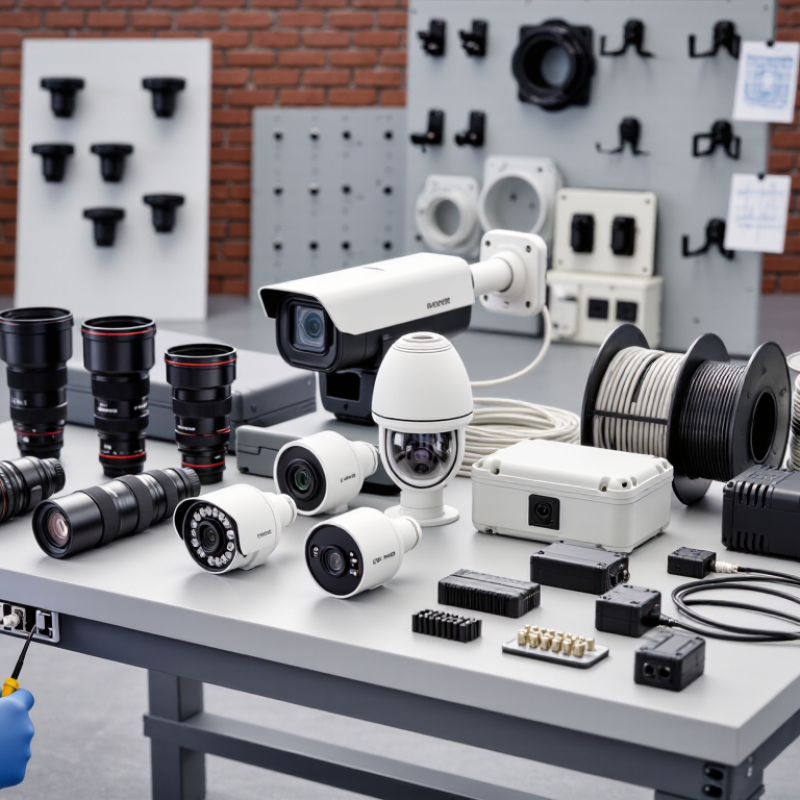
Before choosing CCTV accessories, define what the system must do. A shop entrance needs clear faces at close range; a loading area may need a wider view of vehicles and movement. Walk the site during the hours the cameras will operate. Note bright windows, dark corners, moving lights, and places where rain can reach the equipment. Small details matter.
Operating conditions guide practical choices. Outdoor cameras may need weather-resistant housings, sealed cable connections, and mounts that stay steady in wind. Indoor cameras might need discreet brackets or longer cables to reach a recorder safely. In dim areas, check whether infrared lighting suits the distance and scene; reflective glass can cause glare. Power supplies and surge protection also deserve attention, especially where cables run far or equipment sits near exposed wiring. Measure the route before buying cable. Estimates are often wrong.
Think about maintenance, too. A camera above a dusty doorway may need easier access than one in a clean office. Match cable protection and mounting hardware to the actual surface, not the surface you assume is there. A short site visit can prevent an awkward installation, though it will not reveal every seasonal change. Recheck the setup after heavy rain or a shift in lighting.
For cameras and outdoor accessories exposed to water, use the IEC 60529 water-protection code as a reference. The second digit in an IP rating describes water protection; the code is a classification, not a measure of how much protection one level adds to another.
Match the enclosure to the actual exposure: splashing, water jets, or immersion. Check the complete IP rating, installation conditions, and the accessory manufacturer’s specifications before choosing a housing, connector, or junction box.
Check the camera’s label and manual before choosing accessories. Match the required voltage, current, and connector type. A plug that fits may still deliver the wrong power. For DC adapters, check polarity as well. Small details matter.
If the camera uses Power over Ethernet, confirm that both the camera and switch or injector support compatible PoE standards. Do not assume every PoE device supplies the same power. For wired connections, check the cable category and the distance to the network equipment. Long cable runs can cause connection problems. Test the route before securing cables behind walls.
Wireless cameras still need reliable power and a stable network signal. Check whether the recorder or storage system supports the camera’s video format and connection method. For outdoor installations, choose weather-resistant connectors and suitable cable protection. It is easy to overlook the connector itself when comparing specifications. I would double-check the full setup on paper, then test it on a table before mounting anything. One missed requirement can mean buying the same accessory twice.
A reliable CCTV installation starts with the mount. Match its load rating to the camera, lens, and any protective housing, then check the surface: a brick wall needs different anchors from a thin ceiling panel. For outdoor units, use corrosion-resistant hardware and a mount that keeps the lens clear of rain runoff. Small details matter. I have seen a solid camera perform poorly because its bracket allowed slight movement in wind. That part is easy to overlook.
Cable length and power need equal care. TIA-568.2-D sets a 100-meter maximum channel length for balanced twisted-pair cabling; longer runs may need a properly designed network extension. IEEE 802.3bt allows up to 90 watts at the power-sourcing equipment, but the powered device receives less after cable losses. Check the camera’s actual power requirement before choosing a PoE switch or injector. Keep connectors weather-protected, leave a small service loop, and avoid tight bends near the camera. Neat routing helps. It is tempting to buy extra cable and improvise, but that can create voltage drop, clutter, or harder troubleshooting later. The standards provide a useful baseline, not a substitute for checking the device specifications and site conditions.
| Accessory | Choose Based On | Typical Details | What to Check Before Buying |
|---|---|---|---|
| Wall or ceiling mount | Camera shape, installation surface, and desired viewing angle | Dome, turret, and bullet cameras may use different mounting patterns. Adjustable mounts help with aiming. | Confirm the camera’s mounting-hole pattern, supported load, required fasteners, and whether the mount allows cable entry through the wall or ceiling. |
| Pole or corner adapter | Installation on a pole, post, or building corner | Adapters attach a compatible camera mount to a specific surface and may require separate straps or fasteners. | Check pole diameter or corner dimensions, mounting compatibility, outdoor corrosion resistance, and the load rating of the complete assembly. |
| Ethernet cable | Network speed, cable route, environment, and PoE requirements | Cat5e or Cat6 copper Ethernet is commonly used for IP cameras. A standard Ethernet channel is limited to 100 m (328 ft), including patch cables. | For PoE, check the cable and connectors are suitable for the installation and camera power draw. Use outdoor-rated cable where exposed to weather; avoid copper-clad aluminum for PoE runs. |
| Coaxial cable | Analog camera format, cable distance, and installation conditions | RG59 and RG6 are common coaxial cable types. Some analog camera systems use coaxial cable with a separate power pair. | Verify the camera and recorder use compatible video connections. Signal distance depends on the video format, cable quality, and equipment specifications. |
| PoE switch or injector | Number of cameras and their required PoE power level | IEEE 802.3af, 802.3at, and 802.3bt define different PoE power classes. The available power at a camera is lower than the source’s maximum output because of cable and system limits. | Check each camera’s PoE standard and maximum power draw, the switch’s per-port limit, total PoE budget, and Ethernet run length. |
| DC power supply | Camera input voltage, current demand, and distance from the power source | Many cameras use low-voltage DC, but the required voltage and connector vary by model. Longer or thinner cable runs can cause voltage drop. | Match the camera’s specified voltage, polarity, connector, and current requirement. Allow suitable capacity for startup or infrared illumination and follow the camera’s installation instructions. |
| Weatherproof junction box | Exposed outdoor connections and cable-entry arrangement | A compatible enclosure can protect cable joints and connectors from direct exposure to rain and dust. | Check enclosure dimensions, cable-gland compatibility, mounting pattern, and ingress protection rating for the installation. Seal cable entries as directed. |
| Surge protection | Outdoor cable exposure and the site’s electrical protection plan | Surge protectors are available for Ethernet, coaxial, and power lines; the correct type depends on the connection being protected. | Choose a protector rated for the interface and system voltage, and install grounding and bonding in accordance with local electrical codes and the product instructions. |
Storage, network, and weatherproofing accessories should match how your cameras will actually be used. Estimate storage from camera resolution, frame rate, recording hours, and retention needs. A 4K camera recording continuously uses far more space than one triggered by motion. Leave extra capacity; estimates can miss busy scenes, such as a doorway facing a crowded corridor. Check that the recorder supports the drive type and capacity you plan to install.
Network accessories affect reliability as much as image quality. For fixed cameras, wired Ethernet usually provides a steadier connection than Wi-Fi, especially through walls or across a large property. Use cable rated for the route, and consider a switch with enough power for every connected camera. Long cable runs may need careful planning. Test the actual signal at the camera location before securing cables behind walls; a strong signal near the router proves little.
Outdoor cameras need protection suited to their exposure. Check the camera’s weather rating, then protect cable joints with compatible sealed connectors or enclosures. Dripping water can enter through a loose connection, even when the camera housing is rated for rain. Small details matter. A sunshade can reduce glare and heat, but may block the view if placed poorly. Inspect seals after installation and again after severe weather. Perfect protection is difficult, so leave room for maintenance.
CCTV accessories should suit the conditions around the camera, not just fit the shopping list. For exposed locations, check the enclosure and connector ratings: IP66 indicates protection from dust and powerful water jets, while IK10 corresponds to a 20-joule impact test. These ratings describe specific tests, not a guarantee against every kind of damage. A poorly sealed cable gland can still let moisture reach the connection. Small details matter.
Expandability depends on the whole setup. Check spare network ports, power capacity, storage needs, and mounting options before adding cameras or sensors. A MarketsandMarkets 2023 report estimated the global video-surveillance market at $53.7 billion in 2023 and forecast $83.3 billion by 2028. That projection signals a growing market, but it does not mean every system needs more equipment. Leave practical room for likely additions, such as one extra camera or a longer cable run.
Compare total cost, not just the accessory price. Include installation time, compatible cables, replacement intervals, and the cost of accessing a high-mounted unit for repairs. In a coastal or dusty setting, a cheaper unsealed connector may need more frequent attention; the exact difference depends on exposure and workmanship. I would check the warranty and service life, then compare them with the purchase price. Budget for replacement. A tidy, weather-rated junction box may cost more upfront, yet reduce avoidable maintenance later.
| Cookie | Duration | Description |
|---|---|---|
| cookielawinfo-checkbox-analytics | 11 months | This cookie is set by GDPR Cookie Consent plugin. The cookie is used to store the user consent for the cookies in the category "Analytics". |
| cookielawinfo-checkbox-functional | 11 months | The cookie is set by GDPR cookie consent to record the user consent for the cookies in the category "Functional". |
| cookielawinfo-checkbox-necessary | 11 months | This cookie is set by GDPR Cookie Consent plugin. The cookies is used to store the user consent for the cookies in the category "Necessary". |
| cookielawinfo-checkbox-others | 11 months | This cookie is set by GDPR Cookie Consent plugin. The cookie is used to store the user consent for the cookies in the category "Other. |
| cookielawinfo-checkbox-performance | 11 months | This cookie is set by GDPR Cookie Consent plugin. The cookie is used to store the user consent for the cookies in the category "Performance". |
| viewed_cookie_policy | 11 months | The cookie is set by the GDPR Cookie Consent plugin and is used to store whether or not user has consented to the use of cookies. It does not store any personal data. |