7 Tips to Choose the Right Bulkhead USB Connector
Choosing the right Bulkhead Usb Connector is not a simple matter of matching port shape and price. It requires attention to panel thickness, sealing, shielding, cable routing, current capacity, and repeated mating. A connector mounted on a machine wall may face vibration, dust, moisture, and sideways cable tension every day. Small oversights become expensive service calls.
Industry research supports this practical concern. Bishop & Associates’ connector market studies show that reliability, miniaturization, and application-specific performance continue shaping connector selection. The USB Implementers Forum also highlights the broader capability of modern USB-C systems. Jeff Ravencraft, USB-IF President and Chief Operating Officer, described USB Type-C as “a new, small, reversible connector that enables a single cable to deliver data, video, and power.” That flexibility is valuable, but it can also encourage careless assumptions. USB-C does not automatically guarantee fast charging, high-speed data, or outdoor durability.
The following seven tips focus on the details buyers sometimes overlook. Check the connector’s IP rating, contact plating, shell material, mounting method, and rated insertion cycles. Confirm whether the advertised performance applies to the complete assembly, not only the receptacle. A laboratory specification may look impressive. Real installations are less forgiving. The wrong gasket can compress unevenly. A short cable can create sharp bending near the panel. Even a well-designed Bulkhead USB Connector can fail when its surrounding installation is poorly planned. There is no universal best choice. The right option depends on environment, electrical demand, maintenance access, and the consequences of downtime.
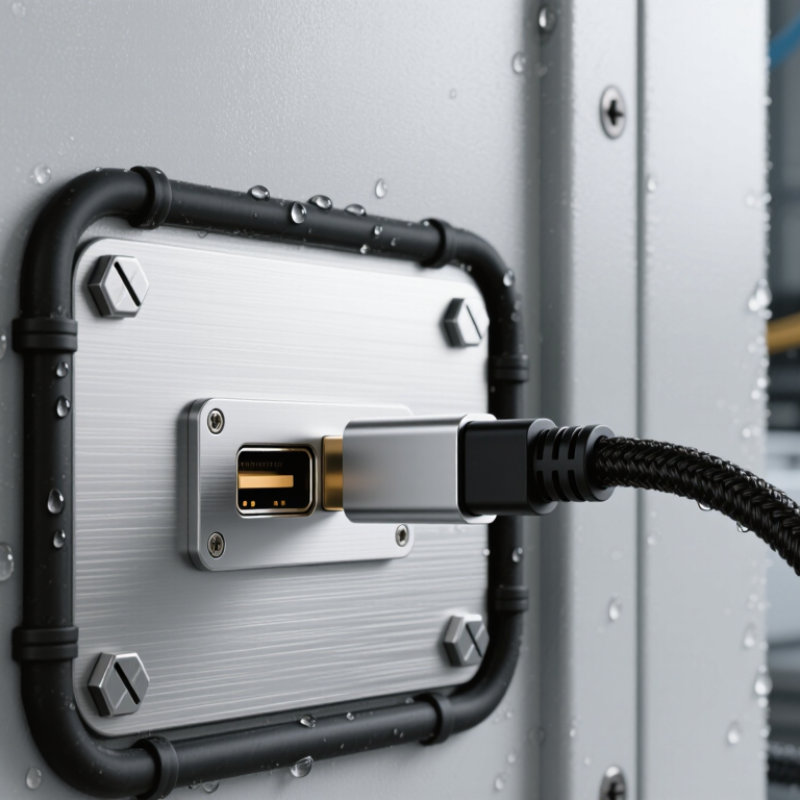
Understand Bulkhead USB Connector Types and Mounting Options
7 Tips to Choose the Right Bulkhead USB Connector
Understand Bulkhead USB Connector Types and Mounting Options
Choosing a bulkhead USB connector starts with the port type, not the product photo. USB-A remains practical for legacy equipment, while USB-C supports reversible insertion and higher power potential. USB-IF documentation lists USB 3.2 Gen 2 performance up to 10 Gbps, but the connector alone cannot guarantee that speed. The cable, host, and device must support the same specification.
That detail matters in control cabinets, vehicle panels, and outdoor instruments. A panel-mount USB-C connector may use a short internal cable, a PCB interface, or a solder-terminal design. PCB versions save space. Cable assemblies simplify field replacement. I have found that threaded mounting feels more secure under vibration, while snap-in mounting speeds installation. That assumption fails on thin or flexible panels.
Check the panel thickness and cutout dimensions carefully. Front-mount designs usually need accessible hardware, while rear-mount versions create a cleaner exterior. Sealing also deserves attention. IEC 60529 defines IP ratings, such as IP65, through dust and water testing methods; however, the complete assembly must be tested, not only the connector shell. Look for shielding, strain relief, locking hardware, and a stated temperature range. The connector may survive, but the cable may not. A small mistake here can produce intermittent data loss, especially near motors or switching equipment. Specification sheets are useful. Verified test records are better.
Match USB Standards, Data Rates, and Power Requirements
Tip 1: Confirm the USB standard before selecting a bulkhead connector. USB 2.0 suits keyboards, sensors, and basic control systems. USB 3.x or USB4 is better for cameras, storage, and fast data transfer. The connector, cable, and host must support the same standard.
Tip 2: Check the real data rate, not only the advertised maximum. Signal loss can increase with cable length, bends, and poor shielding. Tip 3: Match voltage and current requirements carefully. A connector rated for data may not safely handle high-power charging. Confirm whether power delivery features are supported. Tip 4: Inspect the pin configuration. Some USB connector types look similar but use different contacts. I once focused on shape and overlooked the wiring diagram. That mistake delayed testing.
Tip 5: Choose a housing that fits the panel thickness and mounting method. Threaded, flanged, and snap-in designs serve different installation conditions. Tip 6: Consider sealing, strain relief, and vibration resistance for outdoor or industrial equipment. An IP rating is useful only when the complete assembly maintains that protection. Tip 7: Test the finished connection under actual load. Measure data stability, temperature, voltage drop, and repeated insertion performance. Short tests can miss intermittent faults. Check the technical drawings and certification documents from reliable suppliers. Specifications sometimes leave practical details unclear, so verify them before production.
Evaluate Materials, Sealing, and Environmental Protection
7 Tips to Choose the Right Bulkhead USB Connector
Material choice affects more than appearance. Nickel-plated brass offers strength and stable threads, while stainless steel suits salt spray and frequent cleaning. Engineering plastics reduce weight, but they may weaken under heat or ultraviolet exposure. Check the contact metal, plating thickness, and shell compatibility. Similar metals can still create galvanic corrosion in humid conditions.
Sealing deserves closer inspection. Under IEC 60529, an IP67 connector must resist dust and temporary immersion up to one meter for 30 minutes. IP68 performance depends on the agreed test depth and duration. Do not treat the rating as permanent. Cable movement, poor torque, and damaged gaskets can defeat it. I have seen a sealed panel fail because the washer sat slightly off-center. Small errors matter.
Environmental protection should match the real installation, not the product brochure. The NACE IMPACT study estimated global corrosion costs at about 3.4% of global GDP, showing why salt, condensation, and chemicals deserve serious evaluation. Review operating temperature, vibration, washdown pressure, and UV exposure. Ask for test methods, not vague claims. A laboratory result may not represent a vibrating vehicle or outdoor cabinet. No connector is perfect. Sometimes the safer choice is a lower-rated design with better strain relief and easier inspection. Test the complete assembly, including the panel cutout, gasket, cable, and mating plug.
Compare Certification, Reliability, and Total Cost Before Buying
7 Tips to Choose the Right Bulkhead USB Connector
Compare Certification, Reliability, and Total Cost Before Buying
Tip 1: Request current certification documents, not simple logos on a product page. Check whether testing covers the exact connector version. Requirements can differ by market and application. Tip 2: Inspect the test scope carefully. A USB connector may meet electrical standards but lack suitable environmental testing. Ask about insulation, temperature, flammability, and ingress protection. Tip 3: Confirm traceable reports from an independent laboratory. Vague certificates create uncertainty during audits.
Tip 4: Judge reliability through details you can measure. Review mating-cycle data, contact resistance, shell strength, and cable retention. A connector should survive repeated insertions without a loose fit. Tip 5: Examine sealing and mounting. Look for a stable gasket, firm panel threads, and strain relief near the cable. In outdoor equipment, dust can enter through tiny gaps. Tip 6: Test samples under vibration, moisture, and temperature changes before approving production. Bench tests are useful, but they never copy every real installation. I have seen a connector pass basic checks and fail after poor panel alignment. That mistake was preventable.
Tip 7: Calculate total cost, not only unit price. Include tooling, installation time, shipping, inspection, replacement parts, and possible downtime. A cheaper connector can become expensive after one service call. Compare warranty terms and minimum order quantities too. Keep a small sample record with photos and test results. It makes supplier discussions more precise. Certification may impress buyers, but reliable performance protects the equipment. Cost matters. So does evidence.
7 Tips to Choose the Right Bulkhead USB Connector
Use this weighted checklist to compare certification, reliability, installation requirements, and total cost before buying. The percentages represent a practical purchasing priority model for industrial and outdoor applications.
Prioritize environmental protection and lifecycle reliability when the connector will be exposed to dust, moisture, vibration, or frequent mating. Confirm the required USB standard, panel thickness, cable routing, and certification documents before comparing unit prices.
