
Superabrasive

What Is a Cloud Video Door Phone and How Does It Work?

A visitor presses the call button at the gate. Your phone rings, a live image appears, and you can speak without opening the door. That simple exchange is the visible part of a Cloud Video Door Phone. Behind it, a camera and microphone capture the visitor, while an internet connection carries video and audio to an app or indoor monitor. Depending on the system, you may also unlock a connected entrance remotely.

Cybersecurity expert Bruce Schneier’s familiar reminder, “Security is a process, not a product,” offers a useful lens for understanding these devices. Cloud access can make answering easier when you are away, but it also depends on a stable network, account security, and the provider’s service. Small details matter. A weak Wi-Fi signal near a metal gate can delay the image. Notifications may arrive late. And cloud storage settings are not always obvious.

This guide explains what a Cloud Video Door Phone is, how its components communicate, and what happens when someone calls. It also considers practical trade-offs, including remote access, recording, installation, and privacy controls. The technology is convenient, not magic. Understanding its path—from the button outside to the screen in your hand—helps you choose a system that fits your home and use it with realistic expectations.
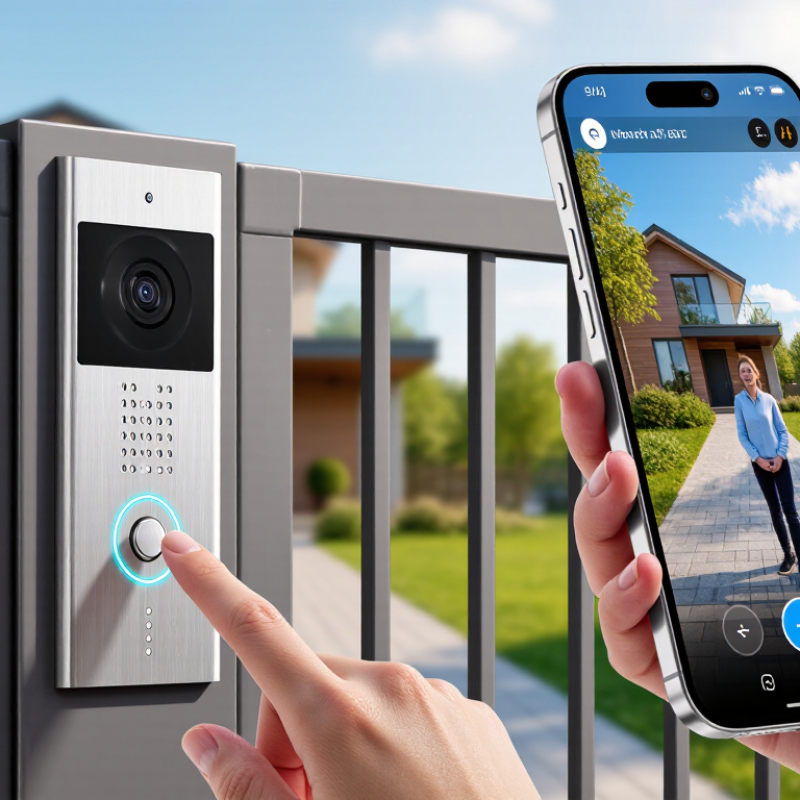
What Is a Cloud Video Door Phone and How Does It Work?

What Defines a Cloud Video Door Phone?

What Defines a Cloud Video Door Phone?

A cloud video door phone connects an outdoor entrance station to an indoor monitor, mobile app, or both. When a visitor presses the button, the system sends an alert and live video through the home network to a cloud service. The resident can speak back, view the doorway, and, if the system supports it, unlock the entrance remotely. Recorded clips may also be stored online. That distinction matters. A wireless device is not automatically cloud-based; remote access and cloud services depend on the product’s design and internet connection.

The service’s practical value depends on more than a camera. Check video quality at night, audio delay, recording retention, account security, and what still works during an internet outage. Grand View Research’s Video Doorbell Market Size, Share & Trends Analysis Report estimated the global video doorbell market at about USD 2.3 billion in 2023. This signals growing interest, but market growth alone cannot prove that a specific system is secure or reliable. Cloud is not magic; it adds another dependency.

Tips: Test the door station from the actual entryway, where walls and weak Wi-Fi can disrupt calls. Review storage settings before installation. Ask what happens when the router loses power.

Core Components of a Cloud Video Door Phone

A cloud video door phone combines a camera, microphone, speaker, call button, and network connection. The camera sits near the entrance and captures visitors, while the microphone and speaker carry a two-way conversation. A wide-angle lens can show more of a porch, but it may make faces appear smaller. Small parts matter.

When a visitor presses the button, the device sends an alert through the home network to a phone or indoor monitor. The cloud service helps route the call and may store video clips, depending on the system’s settings. A stable Wi-Fi signal is important; a weak connection can delay alerts or interrupt speech. Not always instantly. The device also needs power, supplied by wiring, a battery, or both. Battery-powered models may need more frequent charging in busy entrances or cold weather.

The app or indoor screen is the control point. Residents can view the live image, answer, and speak remotely, while account settings manage access and recording preferences. In real use, setup is not always tidy: thick walls, glare from a bright doorway, or a poorly placed camera can reduce performance. Cloud access also depends on internet availability, so local operation may be limited during an outage. Check what the device records and how long clips remain available before choosing settings.

How a Visitor Call Travels from Door to Device

A cloud video door phone connects a doorway station to an indoor screen or mobile device through an internet service. When a visitor presses the call button, the station captures video and audio, then sends a call alert through the network. The cloud service helps route that alert to your chosen device. A phone may ring in another room, or away from home. The exact route depends on the system and your internet connection.

After you answer, live video and two-way audio travel between the door station and your device. You can see a visitor near the gate and speak through the phone’s microphone and speaker. If the system supports remote entry, an unlock command travels back to a connected door relay. A small delay can happen. It may feel longer when someone is waiting outside, so test the connection before relying on it.

Tips: Check Wi-Fi strength at the entrance, enable app notifications, and review video-storage settings. Try a call with someone at the door. Cloud features vary, and a weak signal can interrupt video or audio.

What Is a Cloud Video Door Phone and How Does It Work? — How a Visitor Call Travels from Door to Device

Step What Happens Information or Connection Involved Typical Timing What the Resident Experiences
1 A visitor presses the call button at the entrance. The door unit identifies the selected resident or apartment and starts a call request. A camera and microphone capture video and audio. Immediate The door unit begins setting up the visitor call.
2 The door unit sends the call request over the network. The unit uses its network connection, commonly Ethernet or Wi-Fi, to contact the service. The request can include a device identifier, call destination, and session details. Usually under a few seconds The call is routed toward the resident’s registered device.
3 The cloud service helps locate and alert the resident’s device. The service routes call signaling and may use the mobile operating system’s push-notification service when the app is in the background. Push delivery depends on network and device settings. Often a few seconds; may vary A phone, tablet, or indoor monitor rings or displays a call notification.
4 The resident opens or answers the call. The app or monitor exchanges session information with the door unit. Video and audio may travel directly between devices when possible or through a relay, depending on network conditions and system design. After the resident responds The resident sees the visitor and can begin a conversation.
5 Live video and two-way audio are exchanged. Compressed video and audio are transmitted as real-time media. Connection quality depends on bandwidth, Wi-Fi or mobile coverage, network congestion, and device performance. Continues during the call The resident can speak with and view the visitor while the call remains active.
6 The resident may choose to unlock the entrance. If the system supports remote access, an authorized unlock command is sent to the door controller. The controller operates the connected lock according to its configuration and access rules. Usually a few seconds after the command The resident can grant access without being physically at the entrance.
7 The call ends and the session is closed. The devices end the call and release the live media connection. Any call history or recording depends on the system’s settings, storage options, and privacy policies. When either side ends the call or it times out The live conversation stops; available call records may remain in the app or system.

Timing note: Timing descriptions are general examples, not guaranteed service levels. Actual call setup and response times vary with the door unit’s connection, internet conditions, mobile notification settings, and the system configuration.

How Cloud Services Enable Remote Access and Recording

What Is a Cloud Video Door Phone and How Does It Work?
How Cloud Services Enable Remote Access and Recording

A cloud video door phone connects a door camera and microphone to an internet service. When someone presses the call button, the device sends an alert to your phone. You can view the visitor, speak through the app, and unlock the door if your system supports it. With cloud recording enabled, clips may be stored online rather than only on a device at home. A delivery at noon can be checked later, even when you are away.

Cloud access depends on a stable connection, suitable settings, and the provider’s service availability. Ericsson’s June 2024 Mobility Report estimates that video made up 73% of global mobile data traffic in 2023. That figure reflects video demand broadly, not door-phone traffic, but it underlines why clear video can use meaningful bandwidth. Check recording retention, account permissions, and encryption details before relying on remote clips. Verizon’s 2024 Data Breach Investigations Report found that the human element was involved in 68% of breaches. Shared logins can add avoidable risk. Cloud storage is convenient, but it is not magic; an outage or weak home Wi-Fi can still interrupt access.

Tips: Use a unique password and enable multifactor authentication. Test alerts from outside your home. Keep only the recordings you need; reviewing every setting once may not be enough.

Cloud Video Door Phones: Pixels per Video Frame

A cloud video door phone sends video over the internet so you can answer calls remotely and access recordings through an app. Higher resolutions contain more pixels per frame and can require more data to upload and store. Actual bandwidth and storage use also depend on factors such as frame rate, compression, and recording settings.

Common Access Options and Security Considerations

A cloud video door phone lets residents see and speak with visitors through an indoor screen or mobile app. Access options vary by system: a visitor may call a resident, enter a PIN, use a contactless credential, or request remote unlocking. Temporary codes can help with scheduled deliveries or guests, but they should expire promptly. Convenient, but not foolproof.

Security depends on both the device and account settings. Use a unique password and multi-factor authentication where available. Check whether video and account data are encrypted, how long recordings are stored, and who can access them. Install firmware updates, remove former residents’ credentials, and review access logs for unfamiliar entries. Avoid sharing permanent PINs by message; a short-lived code is safer. That matters.

Cloud access also relies on a stable internet connection and service availability. Keep a physical key or another approved entry method for outages, and test it before you need it. Cameras can capture neighbors or visitors, so adjust the viewing angle and recording settings thoughtfully. I would not assume a cloud label means a system is automatically secure. Check its settings, update process, and outage behavior before relying on it.

All search results